Repair, PCB design, firmware and IoT: 15 questions answered
These are the questions I am asked most often by maintenance managers, engineers, procurement teams and students. I have answered them the way I would across the bench in our Lusaka workshop: what to check, what to avoid, and where the real costs and risks are. Where I give an example, it is from work we have done at HERO Control Systems.
The questions fall into six groups:
- Repair or replace
- Designing electronics that last and can be repaired
- Troubleshooting, firmware and records
- IoT monitoring, security and automation
- Moving from a pilot to a rollout
- Skills and training
Repair or replace
What should an organisation assess before choosing between repairing an industrial control board and replacing it?
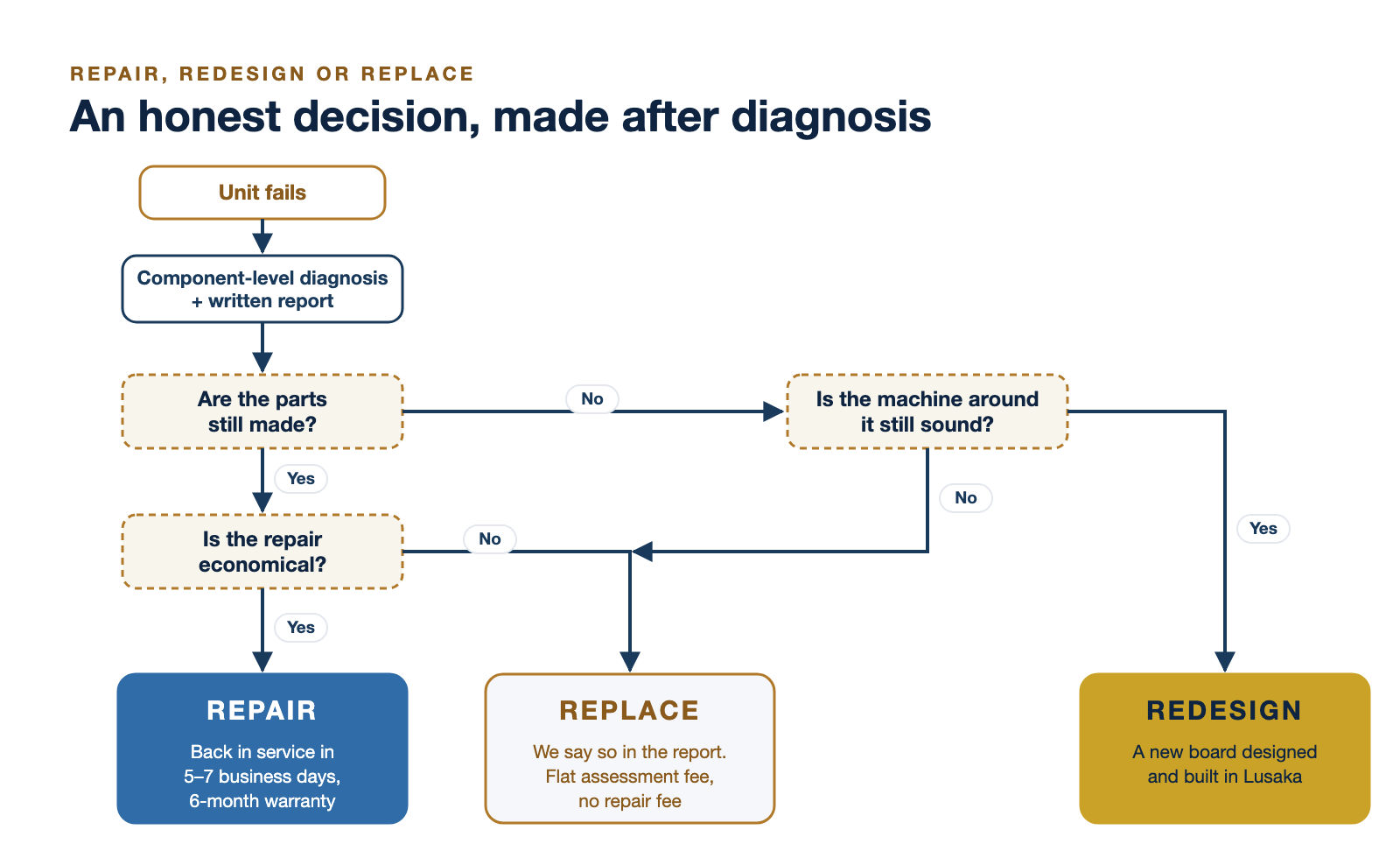
Make the decision after a diagnosis, never before it. A failed board is a symptom. Before anyone prices a replacement, I want answers to these questions:
- Why did it fail? If a surge, heat, a shorted motor or a bad earth killed the board, a new board will die the same way. On Zambian supplies, surges and heat are among the most common root causes we find. Fix the cause, whichever way you go.
- What does an hour of downtime cost? For a pump station, a mill or a tower site, lost output is often the largest number in the whole decision.
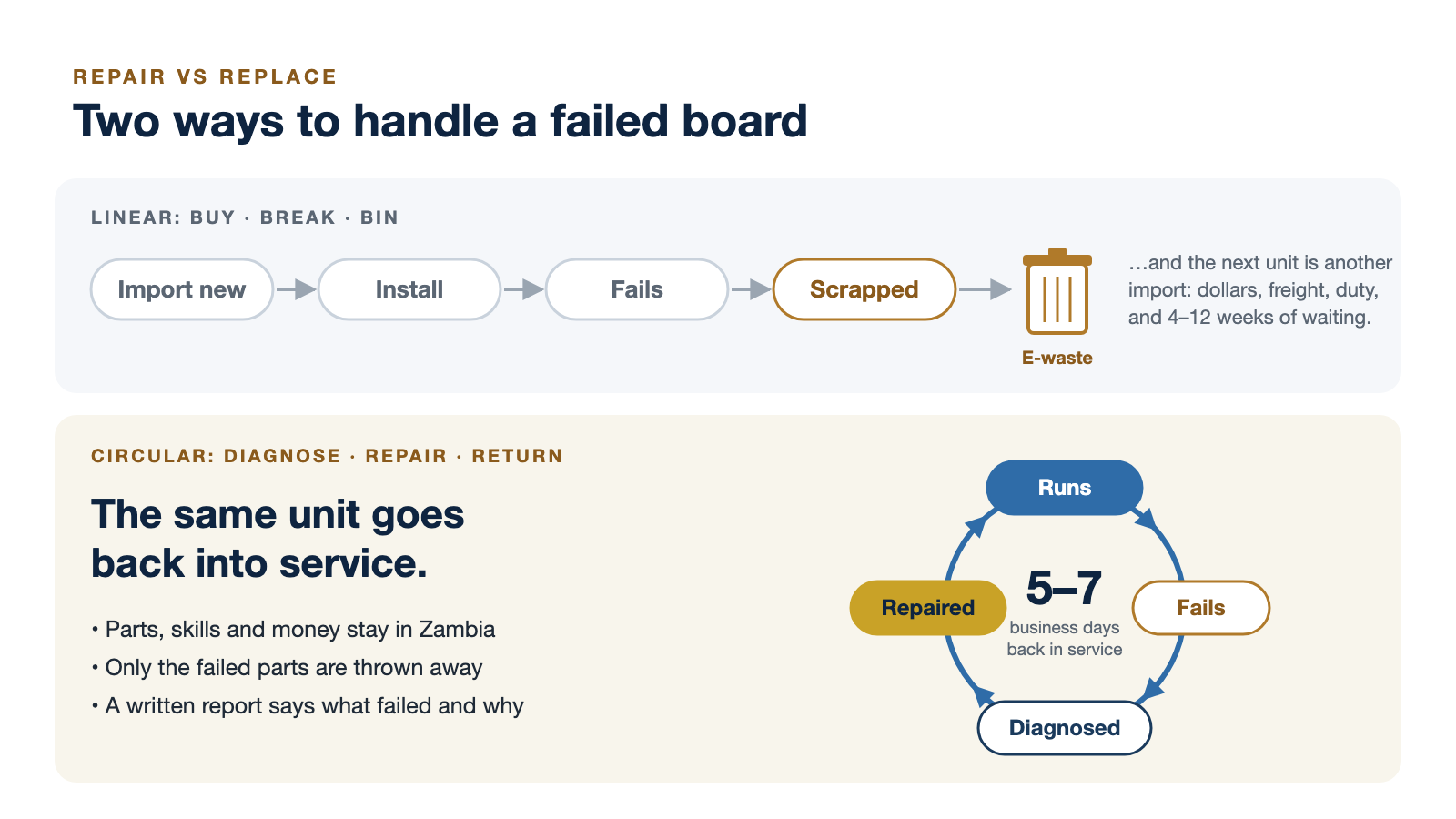
- What is the total cost of replacement? Not just the price: freight, duty, exchange rate, the lead time, and the effort to install, configure and commission a new unit.
- Are the parts still made? If they are, repair is usually straightforward. If the board or its key parts are discontinued, the real choice is between redesigning the board and replacing the machine.
- Is the rest of the machine sound? Spending on a board inside equipment at the end of its life rarely makes sense.
- Will a replacement work as a drop-in? Newer board revisions often need different firmware, parameters or settings.
- Are there safety or certification limits? Safety-rated circuits and equipment certified for hazardous areas must be handled according to that certification. Some cannot be repaired outside the manufacturer's process.
- Can the repair be tested properly? A repaired board should be tested under load before it goes back in, and come with a written report.
One more point: even when you replace, repair the old board too. A repaired spare on the shelf turns the next failure from weeks into hours.
How can locally available electronics design, manufacturing and repair capabilities affect the cost and lead time of maintaining industrial equipment in Zambia?
Mostly by changing what has to cross a border. When a drive, rectifier or control board can only be fixed by sending it abroad or buying a new one, every failure carries foreign-currency cost, freight, duty and a wait that is typically four to twelve weeks. When the same unit can be diagnosed and repaired in Lusaka, only the failed components are bought, and our standard turnaround is five to seven business days, or 48 to 72 hours under a maintenance agreement.
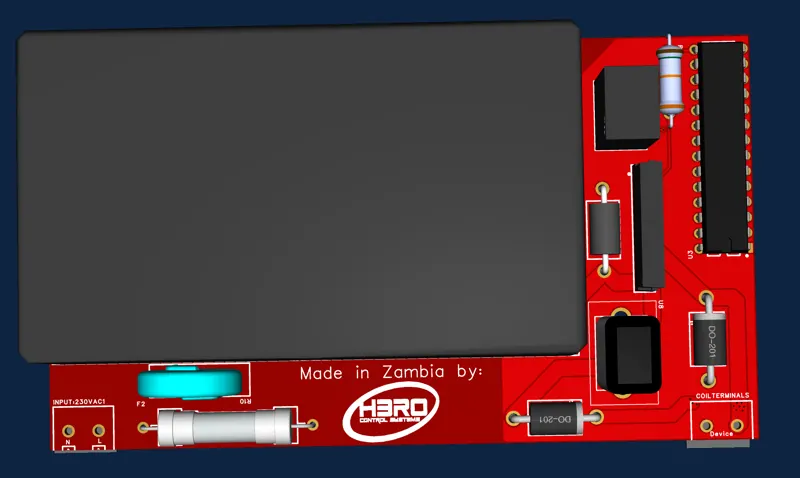
Local design capability matters most when a part is discontinued. At Lusaka Water, soft-starter control cards kept burning out and had been discontinued worldwide. We traced the circuit, designed a new board with our own firmware, built it in Lusaka and commissioned it on site. It has run since February 2026 with zero failures.
Two honest limits. First, local repair does not remove import dependency completely: many components still come from abroad, typically with two to eight weeks of lead time, which is why we stock common parts. Second, some equipment, such as safety-certified hardware or devices built around proprietary programmed chips, still has to go back to the manufacturer. The gain is that those become the exception rather than the rule.
Designing electronics that last and can be repaired
How can engineers design PCBs that are easier to diagnose and repair when replacement components are difficult to source?
Design for the technician who will open the enclosure in ten years without you in the room.
- Choose parts with second sources. Prefer components available from more than one manufacturer in a standard package, and record approved alternates in the bill of materials. Where you can, lay out footprints that accept two pin-compatible parts.
- Avoid hard-to-rework packages without a reason. Ball-grid arrays and tiny leadless parts are fine when you need them, but they make field repair much harder.
- Add test points on every power rail and key signal, and an LED on each main rail, so a technician can see what is alive without guessing.
- Label everything on the silkscreen: reference designators, polarity, rail voltages, connector pin-outs and the board revision.
- Make the cheap parts fail first. Put fuses, surge suppressors and reverse-polarity protection at every input, so that a surge destroys a fuse rather than a processor.
- Separate the power stage from the control electronics, on separate boards or separate areas joined by connectors, so a power failure does not mean replacing the brain.
- Bring out programming and debug headers, locked down in production, so firmware can be recovered.
- Derate and design for heat. Components running cool and below their ratings simply fail less.
- Think twice before potting. Encapsulation protects against moisture and vibration but makes repair almost impossible. Conformal coating is usually the better compromise.
Above all, keep the schematic, layout files, bill of materials with alternates, and the firmware source under version control. A board without its documentation is much harder to repair, as any engineer who has reverse-engineered one will tell you.
What practical steps can manufacturers take to manage electronic component obsolescence in long-lived industrial systems?
Industrial equipment is expected to run for decades; many electronic components are made for a fraction of that. Obsolescence has to be managed on purpose:
- Know your bill of materials. Track the lifecycle status of every part and subscribe to manufacturers' end-of-life and product-change notices.
- Design with alternates from day one, and record which substitutes have been tested and approved.
- Decide on last-time buys when an end-of-life notice arrives, sized to the remaining service life and expected failure rate, and store moisture-sensitive parts correctly.
- Keep buffer stock of critical parts for long-lived products.
- Keep the design files and firmware source alive. A redesign is fast when you own the schematic and code, and slow when you must reverse-engineer them.
- Build modular systems so an obsolete section can be redesigned without redesigning everything.
- Plan the form-fit-function redesign before the last spare is used, not after.
For equipment users who buy from manufacturers, the equivalent is a simple list: which boards in your plant are critical, whether the manufacturer still supports them, and what you will do when it stops. Keep failed boards rather than throwing them away. When a part is discontinued, the failed board is the starting point for a redesign.
What supply-chain challenges can affect PCB production and electronic repairs, and how can organisations plan for them?
From a Zambian bench, the main challenges are:
- Lead times and allocation. Components and bare boards mostly come from abroad, and popular parts can go on allocation for months.
- Counterfeit parts, especially for obsolete components bought from brokers.
- Foreign exchange and payments, which move costs between quotation and delivery.
- Customs, freight and minimum order quantities, which make small, urgent orders expensive.
- Power interruptions, which stop production and testing.
The planning answers are practical. Design with parts that have several sources. Keep stock of the common parts you use most. Consolidate orders instead of paying freight on each small one. Buy from authorised distributors, and inspect and test anything from a broker. Hold foreign currency for international procurement so a currency swing does not stop a job. Put production and test equipment on backup power. And always ask for a component lead time before you promise a delivery date.
Troubleshooting, firmware and records
What information is most useful when troubleshooting a faulty PCB, firmware issue or replacement board in an industrial system?
The more of this that arrives with the unit, the faster and cheaper the repair:
- Identity: make, model, serial number, board revision and firmware version, ideally with a photo of the nameplate.
- Symptoms: fault codes, alarm messages, LEDs, and what the machine did and did not do.
- Conditions: when it fails. At start-up, under load, in the heat of the afternoon, after a storm or when power returns? The pattern often points straight at the cause.
- History: previous repairs, recent changes to wiring, parameters or firmware, and whether a replacement was fitted before.
- Site conditions: supply quality, earthing, temperature, dust, moisture and vibration.
- Photos before removal of the board in place, its connectors and wiring.
- Backups: the configuration, parameter set or program, and the firmware image if one exists.
- Documentation: manuals, wiring diagrams and schematics.
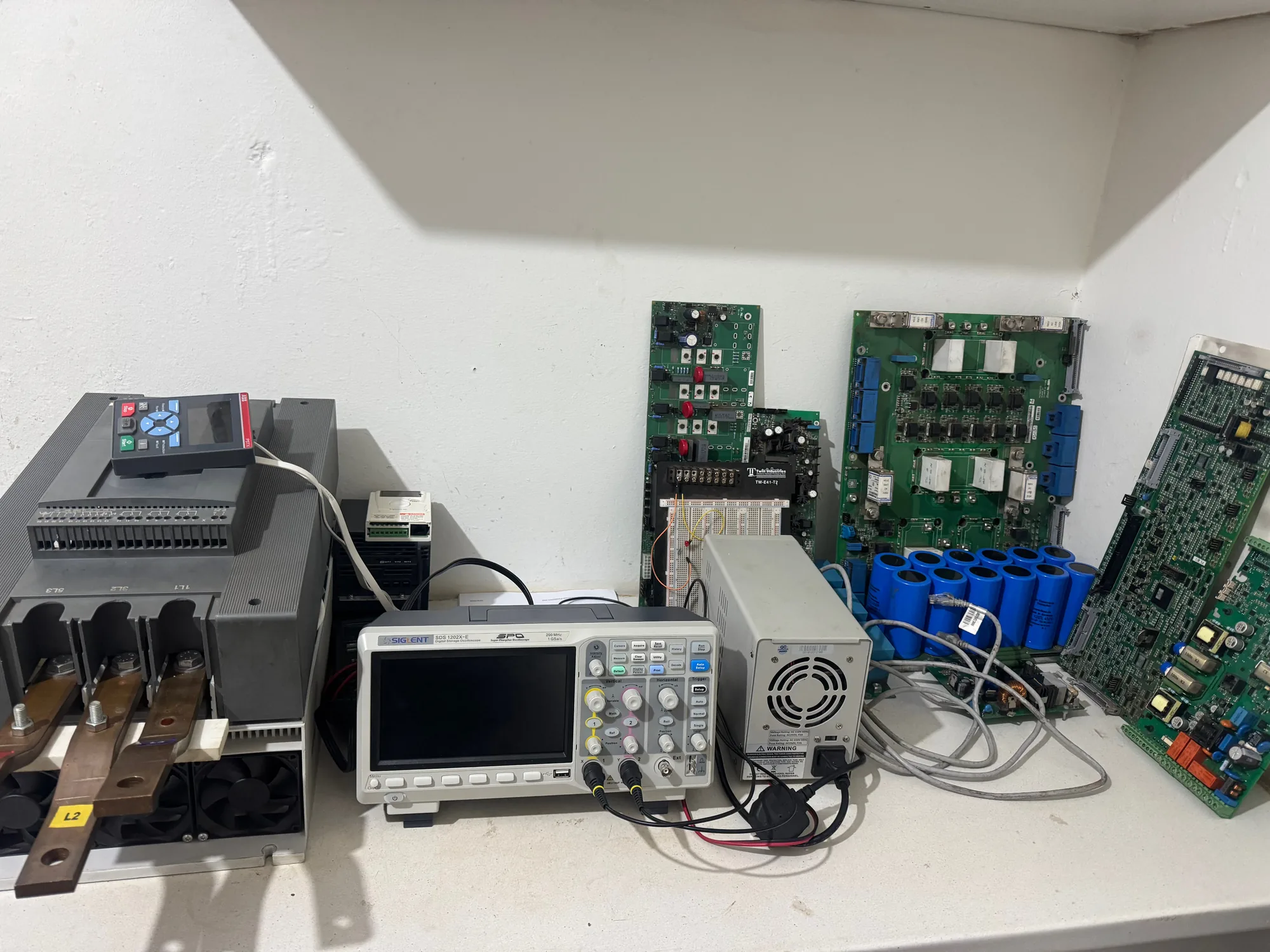
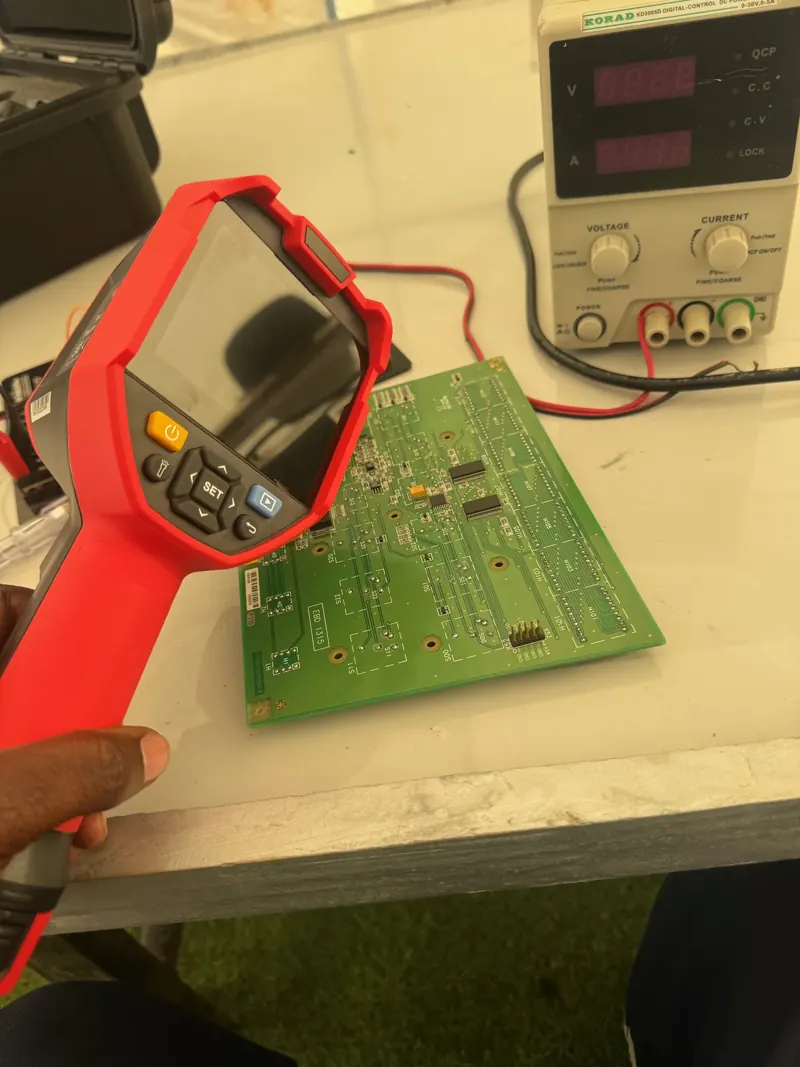
For a replacement board that does not work, check the revision differences, jumper and switch settings, firmware compatibility and calibration first. A replacement that "does not work" is very often a configuration problem, not a faulty board. On the bench we add our own measurements: rail voltages and ripple, signals on an oscilloscope, and a thermal image of the board under power.
How can firmware updates be planned to reduce the risk of disrupting equipment that must remain in service?
Treat a firmware update like any other change to a running plant: planned, tested and reversible.
- Have a reason. Update to fix a known problem, close a security hole or add a feature you need, not just because a newer version exists.
- Know what you have: record the current version on every unit, and read the release notes for anything that changes behaviour or parameters.
- Back up first: the current firmware image if it can be read, and the full configuration and parameter set.
- Test on the bench on an identical spare or a test rig, with the same configuration, before touching the plant.
- Update during planned downtime, with someone who can restore the old version present.
- Protect the update itself. A power cut halfway through can leave a device unusable, so put it on a UPS, and in Zambia check the load-shedding schedule.
- Roll out in stages: one unit, then watch it in service, then the rest.
- Verify and record: run a functional test, then log the new version, the date and who did it.
When we design devices ourselves, we build the safety net into the hardware: a bootloader that checks the image before running it and can fall back to the previous version, and a watchdog that recovers a device that hangs.
How can a business document the design and repair history of electronic systems so that future troubleshooting is faster and more reliable?
Give every unit an identity and every event a record:
- An asset register: a unique ID for each unit, with its serial number, board revision, firmware version and location.
- Design files under version control: schematics, layout, bill of materials with alternates, firmware source, and build and test instructions, with a note for every engineering change.
- A repair record per unit: date, symptom, fault found, root cause, parts replaced with their references, test results, photos, who did the work, and when it is due for service.
- Configuration backups stored with the asset, not on someone's laptop.
Our own service centre runs on a job-card system that records each unit's intake, the fault, photos, a QA certificate and the next service reminder, and every unit we repair goes back with a written report against its serial number. The reward comes the second time a unit fails: you see what was done before, and patterns appear, such as the same component failing on every unit at one site. That points to a site problem, not a board problem.
IoT monitoring, security and automation
What factors should businesses consider when introducing IoT monitoring to existing industrial equipment?
- Start with the decision, not the sensor. What will you do differently when the data arrives? If nobody will act on an alert, do not collect it.
- Pick failure modes you can see coming: temperature, vibration, motor current, running hours and supply quality give early warning for many common faults.
- Prefer non-intrusive sensing such as clamp-on current sensors and surface temperature probes, and read existing controllers through their communication ports in read-only mode, rather than wiring into control circuits.
- Check connectivity on site: mobile coverage, distance and obstructions decide between cellular, LoRa, Ethernet or a local gateway.
- Plan for power cuts. Monitoring that dies with the mains is blind at the moment you need it most, so give it battery backup.
- Respect the environment: heat, dust and moisture call for proper enclosures and components rated for the conditions.
- Do not void warranties or compromise safety circuits when fitting sensors.
- Count the running costs: data, platform, calibration and the person who maintains it.
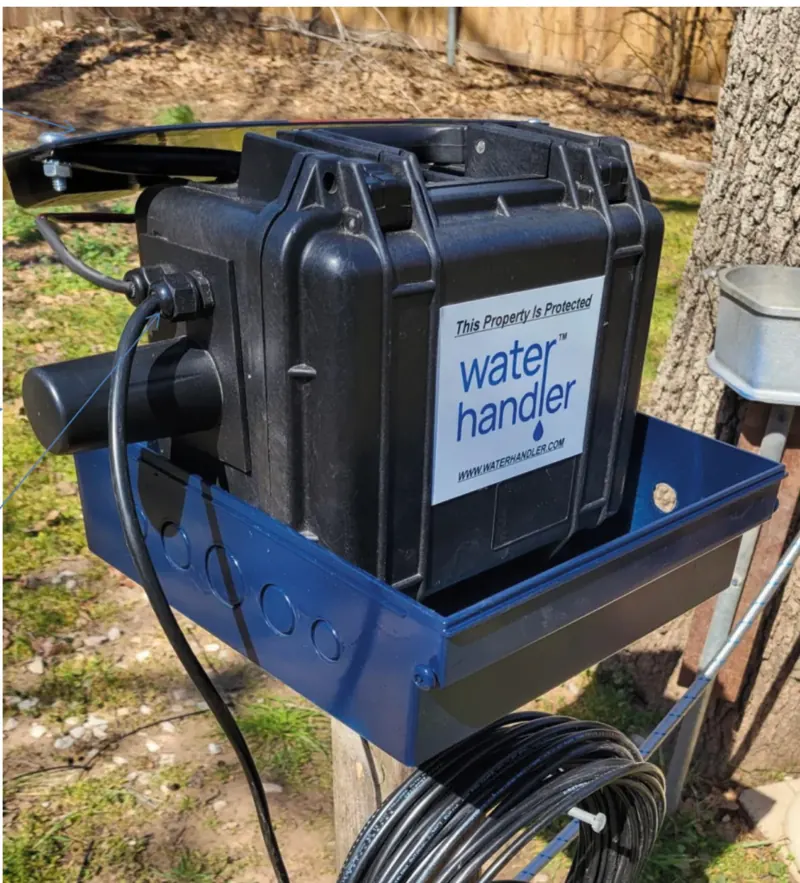
Begin with one machine or one site, prove that the alerts are useful, then expand. We follow the same path on our own products: WaterHandler control units and RiverSense, our river water-quality monitor, both depend on electronics, calibration and software that we design ourselves.
How can organisations protect connected industrial devices from cybersecurity risks during design, installation and maintenance?
Security has to be designed in, installed properly and kept up. A useful reference for industrial systems is the IEC 62443 series of standards.
- In design: a unique credential for every device and no shared default passwords; encrypted communication; firmware that is signed and checked before it runs; a secure way to update; debug ports locked in production; and nothing switched on that the device does not need.
- At installation: keep operational networks separate from office networks, and never expose controllers or HMIs directly to the internet. Use a VPN or a managed gateway for remote access, change every default password, and record every device on the network.
- In maintenance: plan updates; review who has remote access and remove it when people leave; keep logs; back up configurations; and have a written plan for what to do if a device is compromised. Lock cabinets too: physical access to a device often bypasses all the rest.
What data-security considerations matter when IoT systems collect operational information from industrial equipment?
- Classify the data. Production volumes, process settings and equipment performance can be commercially sensitive, and some operational data is personal, such as operator IDs, attendance or vehicle locations.
- Personal data brings legal duties. In Zambia, personal data falls under the Data Protection Act of 2021.
- Collect only what you need, and set how long you keep it.
- Encrypt data on the way to the server and where it is stored.
- Control access by role, and keep logs of who looked at what.
- Know where the data lives and who owns it. Put ownership, access and deletion into the contract with any platform provider.
- Back it up, and test that the backup can be restored.
Which repetitive equipment-monitoring or control tasks are good candidates for automation, and which still need human oversight?
Good candidates for automation are tasks that are repetitive, well defined and recoverable:
- data logging, trending and shift reports
- threshold alarms on temperature, current, level and pressure
- start-up and shut-down sequences, soft-start timing, and duty and standby pump rotation
- tank level and simple process control loops
- energy metering, running hours and maintenance reminders
Keep people in charge of anything that is safety-critical, unusual, costly to get wrong or hard to reverse:
- overriding or bypassing interlocks and safety functions
- responding to new or unexplained alarms
- changing setpoints that affect product quality or safety
- repair, replace and capital decisions
- finding the root cause after a trip
Safety functions themselves should be automatic and engineered to the relevant standards. What needs a person is the decision to override them. My rule is: automate the routine, keep people on the exceptions, and always design a clear manual mode so operators can take over when they need to.
Moving from a pilot to a rollout
How can businesses evaluate whether an industrial repair or IoT software project is ready to move from a small test to broader implementation?
Decide what success means before the pilot starts, then check honestly against it:
- Agreed measures, such as uptime, time to repair, cost per repair, how much of the expected data actually arrives, and the false-alarm rate.
- Enough time and enough conditions. A few good weeks in the dry season do not show how a system copes with rain, heat, load-shedding or peak production.
- People actually use it. Operators act on the alerts and technicians use the reports.
- Support is in place: who fixes it, how fast, with what spares, and what it costs to run each year.
- Security and integration are reviewed by the people responsible for IT, operations and safety.
- It scales: connectivity, data volumes, licences and installation effort hold up at ten or a hundred units.
- Documentation and training exist for the people who will run it after the project team leaves.
- There is a way back if the rollout runs into trouble.
If most of these are green, roll out in stages. If they are not, fix them in the pilot. Problems only get more expensive at scale.
Skills and training
How can practical STEM training help learners build skills in electronics, firmware and industrial technology?
By making learners build things and make them work. Reading about a circuit does not teach anyone to fix one. The skills industry needs come from doing:
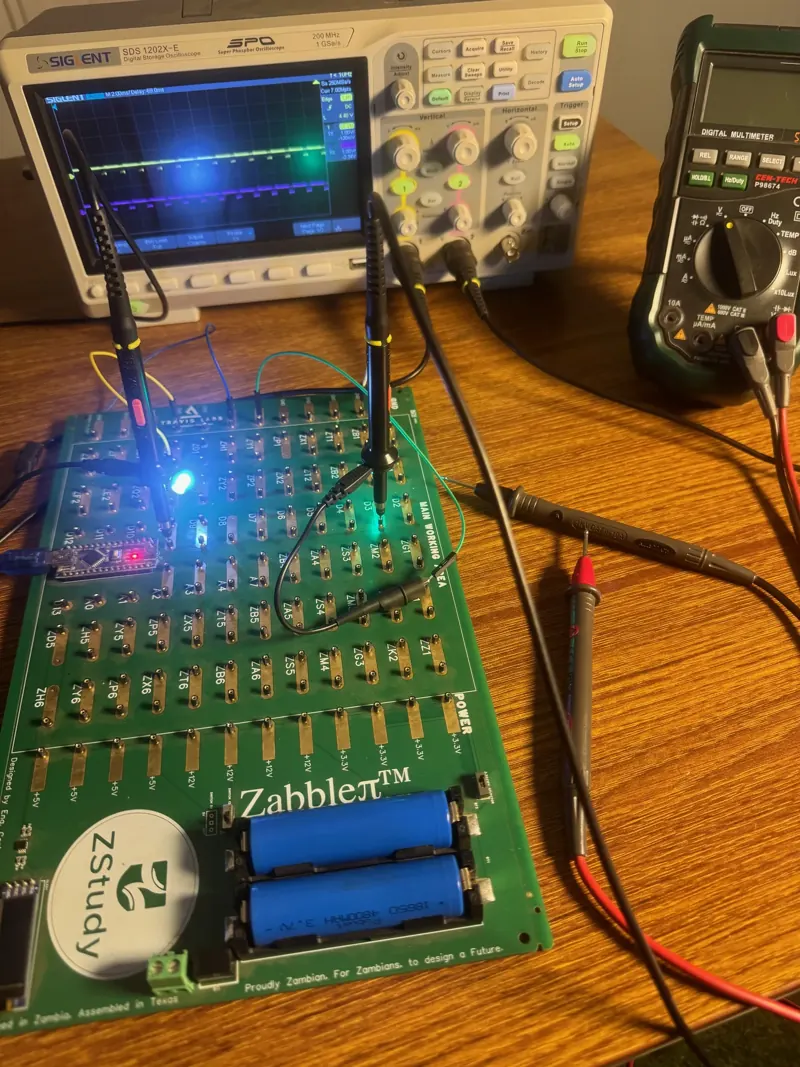
- building circuits on real boards and measuring them with a multimeter and an oscilloscope
- writing firmware that reads sensors and drives motors, relays and displays
- debugging, which is the skill employers value most: working out why something does not work
- connecting the classroom to industry: PLCs, drives, motor control and real failed boards
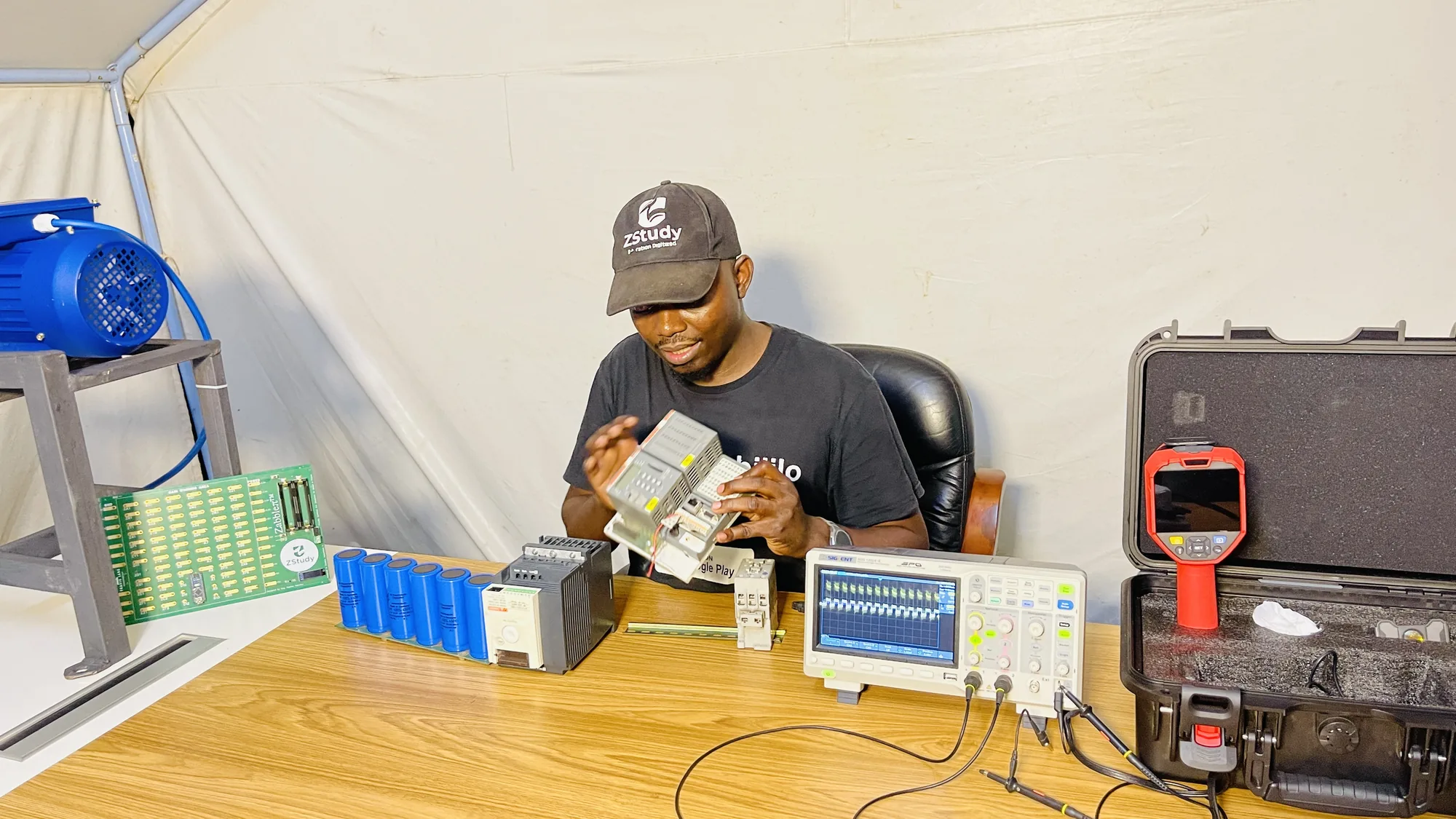
That is why we built Zabble, our STEM and electronics kit, designed and made in Zambia for colleges, TEVET institutions and universities. Trainees build real circuits, program a microcontroller and learn embedded and telemetry electronics on it. Our earlier programme, ZStudy, put kits into 57 schools and won the 2022 Genius Zambia award for the most innovative STEM solution. Our training division has trained more than 300 engineers and technicians on real hardware.
What makes hands-on electronics training effective for learners who need to understand how circuit boards and embedded systems work in practice?
- Real hardware, not just simulations. Simulations are useful, but only real boards have noise, heat, bad joints and parts out of tolerance.
- Faults to find. Give learners boards with planted faults and real failed boards from the field. Diagnosing them teaches more than building a circuit that works first time.
- Measure first, then explain. Learners should predict a voltage, measure it and explain any difference.
- Hardware and firmware together, because in an embedded system a fault can be either and learners must be able to tell which.
- Read the documents: schematics, datasheets and service manuals are part of the job.
- Industrial context: drives, PLC panels, power supplies and the safety practices that go with them.
- Small groups and plenty of bench time with an experienced instructor.
- Assess by doing: the final test is whether the learner can find and fix the fault.
Get a second opinion
If you are facing one of these decisions on your own equipment, send me the details. A photo of the unit and its nameplate on WhatsApp at +260 974 546 632 is enough to start, or email sales@hcsys.co. More on industrial repair, electronics design and PCB, thermal imaging inspections and training. For the cost and ESG case for repair, read Repair is the circular economy that pays for itself.